Tiếng Việt
 English
 中文
中文 Español
 हिन्दी
 Français
 Português
 Русский
 Deutsch
 日本語
日本語 한국어
한국어 Italiano
 Bahasa Indonesia
 ไทย
ไทย বাংলা
বাংলা ລາວ
ລາວ မြန်မာ
 العربية
 فارسی
فارسی اردو
اردو Українська
 Română
 Azərbaycan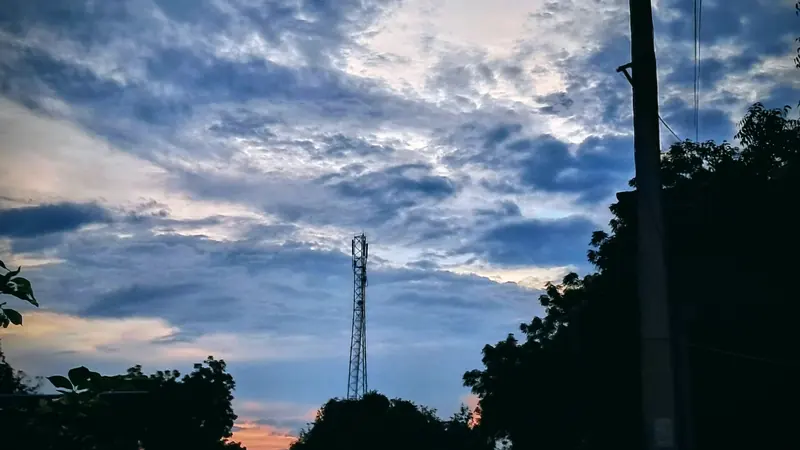
Since 2025, many people in Russia have had a new everyday experience: the phone shows full signal bars, but almost nothing loads. Sometimes a few apps still work, such as a bank, a government services portal or a taxi service, while everything else stays silent. This is what reports call "whitelist" mode.
This explainer covers what whitelists are, how long the shutdowns have lasted, why even approved services sometimes fail, and how to prepare in ways that are practical and lawful. It reflects reporting available as of October 2026; the situation differs by region and changes often.
What a mobile internet shutdown looks like
Mediazona reported on 7 April 2026 that mobile internet shutdowns had become routine across Russia in 2025 and 2026, officially justified by the threat of drone attacks. Affected places included Omsk, Tyumen, Arkhangelsk and central Moscow. In Rostov-on-Don, shutdowns that used to start at 7 or 8 pm began as early as 4 pm. In Bryansk, Mediazona wrote, connections became so poor that most shops stopped accepting card payments.
The scale is large by global standards. In its research on 2025, updated on 5 January 2026, Top10VPN counted 57 shutdowns in Russia, more than in any other country, with an estimated economic cost of 11.9 billion US dollars, out of a global total of 19.7 billion.
What the "whitelist" is
A whitelist is a list of services that stay reachable while everything else is cut off. According to Mediazona, the list, officially a "registry of socially significant services", started in September 2025 with 57 websites, including state news outlets, banks, Gosuslugi, VK, the Max messenger and Ozon. It later grew to include regional government sites, the Maxim taxi service and the Gismeteo weather service.
Being on the list comes with conditions. Mediazona reported that in February 2026 the FSB reportedly demanded that major banks install SORM surveillance equipment, and that banks which refused were excluded from the whitelist. Meduza reported on 30 April 2026 that in late March the Digital Development Ministry told major platforms to block users with an active VPN or lose their whitelist place.
How long shutdowns last, and who decides
Shutdowns range from a few hours in the evening to weeks.
- Moscow, March 2026. Mobile internet in central Moscow was out for nearly three weeks, according to Mediazona. Novaya Gazeta Europe reported on 23 March 2026 that whitelists had been extended to all networks in the capital, limiting traffic to pre-approved domains.
- St Petersburg, March 2026. On a Saturday in March, users began experiencing a near-complete loss of mobile internet, Novaya Gazeta Europe reported.
- No fixed end date. Kremlin spokesman Dmitry Peskov said outages would last "as long as additional measures are necessary to ensure the safety of our citizens", as quoted by Novaya Gazeta Europe.
On who decides, Mediazona cited The Bell as reporting that the March 2026 cuts in Moscow were ordered by an FSB department rather than the Digital Development Ministry. In February 2026, the State Duma approved a bill allowing the FSB to demand that mobile operators shut down cellular service.
Why even whitelisted sites can fail
People are often surprised when an approved app does not work during a shutdown. There are several reasons this can happen:
- Websites depend on other services. A modern app may load maps, images, payment pages, login systems or analytics from other domains and servers. If one of those pieces is not on the list, the app can freeze or show an error even though its main address is allowed.
- Lists work by addresses. Many services share IP addresses through hosting and content delivery networks (CDNs, which serve one site's files from servers around the world). Meduza reported on 31 August 2026 that the Digital Development Ministry had asked hosting, web protection and CDN providers to move the IP addresses of whitelisted resources into separate subnets, because unapproved sites could end up using the same addresses. Changes like this can temporarily break things.
- The list changes. The ministry updates the list regularly, Meduza wrote, and sites can be added or removed.
- VPN checks. Since April 2026, according to Meduza, several large Russian services refuse access when a VPN is on, so an active VPN or a forgotten VPN profile may be why an app on the list rejects you (see Why some apps refuse to work with a VPN).
- Networks get congested. When only a few services are reachable, their traffic and the load on the remaining connections can grow, so even allowed services may be slow.
How to prepare: a practical checklist
None of the steps below involves getting around any restriction. They simply reduce the disruption when mobile data disappears.
Before an outage
- Download offline maps for your city and any route you travel often. Most map apps can save areas for offline use.
- Save important documents offline: tickets, boarding passes, booking confirmations, insurance details, and screenshots of QR codes you may need.
- Keep some cash. Card terminals also need a connection, and in Bryansk most shops stopped accepting cards.
- Agree on a plan with family: who calls whom, and where to meet if messengers stop working.
- Write down key phone numbers on paper or in your phone's contacts, not only inside a messenger.
During an outage
- Use voice calls and SMS. Ordinary calls and text messages do not depend on mobile data, so they may keep working when the internet does not. Note, however, that the February 2026 bill covers cellular service more broadly, so do not assume calls will always be available.
- Look for a fixed connection. Home broadband or Wi-Fi at work, a library or a café may still work, although in Moscow in March 2026 whitelists were reported on all networks. If you join a public network, follow our public Wi-Fi safety guide.
- Check what network you are actually on. Our What is my IP tool shows the public address and provider your connection appears to come from, which helps you tell whether you are on Wi-Fi or mobile data and whether a VPN profile is active.
- Be careful with information. During outages, rumours spread through screenshots and forwarded messages. Wait for confirmation from more than one reliable, dated source.
After an outage
- Update your apps once the connection returns, and check that banking and government apps work normally.
- Review your offline copies and refresh anything out of date.
Key takeaways
- As of October 2026, mobile internet shutdowns in Russia are frequent, can last from hours to weeks, and have no announced end date.
- The whitelist keeps a limited set of approved services reachable, but the list has conditions and changes over time.
- Approved services can still fail because of third-party components, shared addresses, VPN checks and congestion.
- Preparation is ordinary and lawful: offline maps and documents, cash, phone numbers, a family plan and patience with unverified news.