Tiếng Việt
 English
 中文
中文 Español
 हिन्दी
 Français
 Português
 Русский
 Deutsch
 日本語
日本語 한국어
한국어 Italiano
 Bahasa Indonesia
 ไทย
ไทย বাংলা
বাংলা ລາວ
ລາວ မြန်မာ
 العربية
 فارسی
فارسی اردو
اردو Українська
 Română
 Azərbaycan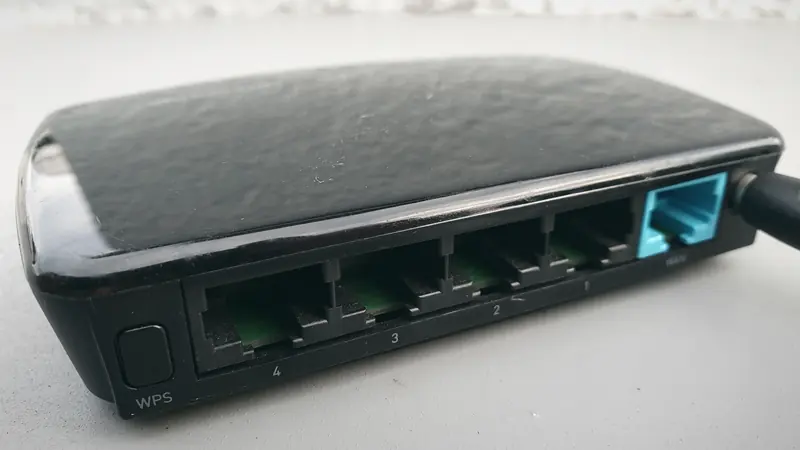
Phones and laptops make VPNs easy: you install an app and tap Connect. Many other things in a modern home are less cooperative. Plenty of smart TVs run their own closed systems with no VPN apps at all, game consoles generally don't support them, and smart speakers or cameras have no screen to set anything up on.
That leaves two broad options: protect each device with its own app where you can, or put the VPN on the router so everything behind it goes through the tunnel. This guide compares the two honestly, explains what to do for devices that can't run apps, and covers the basic home-network habits that matter whichever path you choose.
Two ways to protect a home
A VPN app on each device runs on the phone, computer or TV itself. It encrypts that device's traffic from the moment it leaves the device, including on other networks such as public Wi-Fi or mobile data. You can switch it on and off per device, choose a different server on each one, and use features like split tunneling to keep some apps on your normal connection.
A VPN on the router means the router itself connects to the VPN server, and every device on your home network sends its traffic through that one tunnel. The devices don't need to know a VPN exists. This is the only practical way to cover devices that can't run VPN software at all.
Neither is "better" in every case. They solve slightly different problems, and many households end up using a mix.
What a router VPN does well, and where it falls short
The main advantages are coverage and simplicity once it is set up:
- Every device is included, including consoles, smart TVs without app stores, streaming boxes and smart-home gadgets.
- One configuration instead of installing and updating apps on many devices.
- Guests' devices on the same network are covered too, which may or may not be what you want.
The limitations are real, though:
- It only works at home. Once your phone leaves the house, router protection stops. You still need an app on mobile devices.
- Routers are small computers. Encryption takes processing power, and many consumer routers have far less of it than a phone or PC. On a modest router, the VPN can become the bottleneck for the whole household's speed.
- All or nothing by default. Everyone gets the same server and location. If one person needs a local service that doesn't work through the VPN, you need extra rules or a second network.
- Setup is technical. Many stock router firmwares offer limited VPN client support. Open-source firmware such as OpenWrt documents WireGuard client and server setups, including how to route all traffic through the tunnel, but installing custom firmware takes care and can void a warranty or brick a device if done wrong.
- Harder to troubleshoot. When something breaks, it breaks for everyone, and it is not always obvious whether the router, the VPN or the provider is at fault.
VPNRice does not currently offer a router app; router support is in development. Our apps run on the devices themselves.
Smart TVs: check what your TV actually runs
"Smart TV" covers very different systems, so start by finding out which one you have (usually under Settings > About):
- Google TV and Android TV devices, including many TVs, set-top boxes and streaming sticks, can install VPN apps from Google Play. VPNRice for Android TV is built for the remote control, with sign-in by scanning a QR code with your phone, and it uses Android's VPN service so the system and all apps on the TV go through the tunnel. Our step-by-step guide to setting up a VPN on Android TV covers installation and common fixes.
- Other TV platforms often have no VPN apps in their stores. For these, the router approach, or plugging in a separate Android TV or Google TV box, are the usual options.
Smart TVs also come with software you didn't choose. As one example of how this is changing, Verdict reported on 22 August 2025 that in Russia the LIME HD TV application would be pre-installed on all smart TVs sold from 1 January 2026, alongside rules requiring the MAX messenger on phones and tablets from 1 September 2025. Whatever country you live in, it's worth looking through your TV's installed apps and permissions: switch off features you don't use, such as viewing-data sharing or voice assistants, and keep the system updated.
Consoles and smart-home devices
Game consoles typically can't run VPN apps, and for gaming you often don't want every packet going through a distant server anyway, because it can add latency. For consoles, a router VPN is the only full-device option. If you mainly play on a PC, a desktop app with a game-specific mode can be more flexible: on Windows, VPNRice for Windows has a Game mode for supported games.
Smart speakers, cameras, doorbells and plugs are a different story. Their biggest risks usually come from weak default passwords, missing updates and cloud accounts, not from someone reading their traffic in transit. A VPN does little for these problems; good network hygiene does much more.
Home-network hygiene comes first
In February 2023 the US National Security Agency published guidance called "Best Practices for Securing Your Home Network". As summarised in the reprint by the US Defense Department's CSIAC, it covers securing routing devices, segmenting wireless networks and protecting confidentiality when working from home. In practical terms, that translates into a few widely recommended habits:
- Change the router's default admin password and, if possible, the default network name.
- Install router firmware updates, or turn on automatic updates if your router supports them. Replace routers that no longer receive updates.
- Use the strongest Wi-Fi security your devices support, such as WPA3 or at least WPA2, with a long passphrase.
- Put smart-home gadgets and guests on a separate network. Many routers offer a guest network; using it for TVs, cameras and visitors keeps them apart from the laptops and phones that hold your accounts.
- Turn off features you don't use, such as remote administration or WPS.
- Keep every device updated, including the TV and console, not just phones.
Which setup fits you
- Mostly phones and laptops? Use a VPN app on each device. You keep protection when you leave home.
- An Android TV or Google TV device? Install the app on the TV itself.
- Consoles or TVs with no VPN apps, and a capable router? A router VPN can cover them, if you are comfortable with the setup and the speed trade-off.
- Lots of smart-home gadgets? Focus on passwords, updates and a separate network first.
Whichever you choose, check that it works: on a device behind the VPN, open any IP-checking page in a browser and confirm that websites see the VPN server's address rather than your home connection.