 Tiếng Việt
 English
 中文
 Español
 हिन्दी
 Français
 Português
 Русский
 Deutsch
 日本語
 한국어
 Italiano
 Bahasa Indonesia
 ไทย
 বাংলা
 ລາວ
 မြန်မာ
 العربية
 فارسی
 اردو
 Українська
 Română
 Azərbaycan
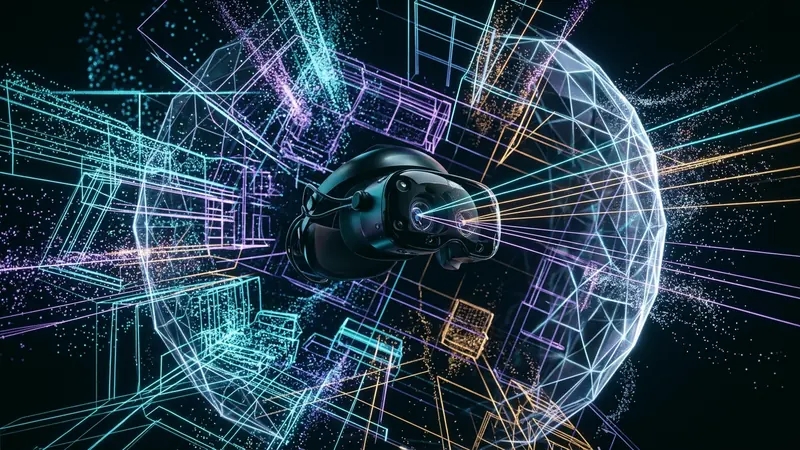
Spatial computing and mixed reality (XR) headsets represent a major evolution in biometric and physical space surveillance. Modern hardware platforms—such as the Meta Quest 3, Apple Vision Pro, and enterprise XR headsets—are equipped with extensive sensor arrays: outward-facing high-resolution RGB passthrough cameras, infrared structured-light depth projectors, Time-of-Flight (ToF) LiDAR scanners, downward tracking cameras, and inward-facing infrared illuminators monitoring ocular movement.
Unlike traditional smartphones or laptops that register explicit user inputs such as keystrokes and screen taps, spatial computing devices continuously sample the surrounding physical environment and the wearer's involuntary biological reactions. Every room boundary, piece of furniture, ocular saccade, and pupil dilation metric is converted into dense mathematical representations. When tethered to cloud platforms for identity management, app runtime execution, and cloud-assisted spatial anchors, these sensor pipelines transmit extensive telemetry streams over residential local area networks. Neutralizing this telemetry surface requires isolating hardware interfaces and deploying router-level Layer 3 VPN tunnels with automated DNS sinkholing.
+-------------------------------------------------------------------------------+
|               SPATIAL COMPUTING SENSOR INGESTION & TELEMETRY EXFILTRATION      |
|                                                                               |
|   Physical Sensors (XR Headset)       On-Device Processing Runtime    Vendor Cloud Telemetry Pipeline|
|   +---------------------------+       +--------------------------+    +-----------------------------+|
|   | IR Inward Gaze Cameras    |------>| Gaze Vectors (90Hz)      |--->| Advertising Ad-Tech Brokers ||
|   | Eye Tracking Illuminators |       | Pupil Diameter (Cognition|    | Profile: Interest, Arousal  ||
|   +---------------------------+       +--------------------------+    +-----------------------------+|
|   | Time-of-Flight LiDAR      |------>| Spatial Anchors          |--->| Spatial Digital Twin Cloud  ||
|   | SLAM Tracking Cameras     |       | 3D Polygon Room Meshes   |    | Layout: Dimensions, Objects ||
|   +---------------------------+       +--------------------------+    +-----------------------------+|
|   | 6-DoF IMU & Hand Tracking |------>| Micro-Tremor Kinematics  |--->| Neurological Biometric DB   ||
|   | Spatial Microphone Array  |       | Ambient Acoustic Fingerpr|    | Audio Ambient Profiling     ||
|   +---------------------------+       +--------------------------+    +-----------------------------+|
+-------------------------------------------------------------------------------+
The Architecture of Spatial Computing and Mixed Reality Telemetry
The operational foundation of extended reality hardware depends on Simultaneous Localization and Mapping (SLAM). To project persistent digital objects into the physical world, headsets construct dense spatial representations by processing high-frequency visual odometry combined with inertial measurement unit (IMU) data at up to 1000Hz.
This sensor fusion pipeline operates across two distinct architectural domains: on-device hardware abstraction layers (HAL) and cloud-synchronized analytical services. While operating systems nominally process raw camera video locally within protected execution enclaves, high-level telemetry abstractions—such as plane detection bounds, surface classification labels (e.g., walls, desks, screens), and user interaction events—are packaged into structured JSON or Protocol Buffer payloads for periodic cloud synchronization.
Biometric Eye Gaze Vectors and 3D Room Mesh Extraction
Among all sensor modalities deployed in spatial computing, inward-facing eye-tracking cameras represent the most invasive data stream. Operating at sampling frequencies between 60Hz and 120Hz, infrared cameras capture micro-saccades, fixation durations, smooth pursuit velocities, and pupil dilation ratios.
Ocular telemetry leaks deep cognitive states through involuntary physiological responses:
{
  "timestamp_utc": "2026-11-16T12:15:30.412Z",
  "spatial_session_id": "xr-sec-7f89d02a",
  "ocular_telemetry": {
    "gaze_target_entity_id": "virtual_ad_billboard_04",
    "fixation_duration_ms": 680,
    "pupil_dilation_variance_pct": +14.2,
    "saccadic_velocity_deg_per_sec": 340.5,
    "vergence_distance_meters": 1.45
  },
  "spatial_environment": {
    "bounding_box_meters": [4.2, 5.1, 2.8],
    "surface_classification_detected": ["desk", "computer_monitor", "bookshelf"],
    "ambient_lux": 240
  }
}
Pupil diameter variance directly reflects cognitive load, emotional arousal, and involuntary mental interest. When correlated with the precise coordinate of an object within the wearer's field of view, this telemetry allows platform operators to quantify user interest with precision that exceeds traditional web tracking cookies. Simultaneously, 3D room mesh data captures room dimensions, architectural layouts, and personal items, effectively constructing an unshielded digital twin of the user's private residence.
Threat Vectors: Involuntary Cognitive Profiling and Telemetry Exfiltration
The architectural design of modern XR platforms introduces unique privacy threat vectors that distinguish spatial computing from conventional personal computing hardware:
- Neurological and Affective Profiling: Involuntary ocular responses cannot be consciously suppressed. Eye tracking telemetry enables platform providers and third-party WebXR engines to deduce emotional states, commercial preferences, reading speed, and indicators of neurological health.
- Physical Environment Infiltration: The extracted spatial room mesh reveals private details: square footage, room count, interior decoration, and the presence of children's items. In corporate environments, ambient SLAM mapping captures whiteboard layouts, desk arrangements, and enterprise hardware deployments.
- Behavioral Kinematic Fingerprinting: The 6-Degrees-of-Freedom (6-DoF) tracking data from the headset and hand controllers logs unique musculoskeletal kinematics. Walking gaits, arm movements, and micro-tremors create a persistent biometric signature capable of re-identifying individuals across anonymous accounts.
Why Traditional Client Firewalls Fail Against Cloud-Tethered XR Systems
Conventional personal computer firewalls and mobile device management tools are ineffective when applied to spatial computing headsets. First, commercial XR operating systems (such as Horizon OS or visionOS) operate as walled gardens. Users cannot execute arbitrary packet capture utilities, modify system routing tables, or install local host-based application firewalls directly on the device.
Second, XR telemetry traffic is heavily multiplexed over modern transport protocols. Sensor sync operations, cloud-rendered remote rendering streams, telemetry analytics, and legitimate software updates share identical outbound TCP port 443 and UDP port 443 (QUIC) connections toward global content delivery networks. Without upstream network-level traffic segregation, distinguishing critical system updates from intrusive behavioral telemetry is impossible on the headset itself.
Network Defense: Isolating XR Headset Traffic via RiceGuard Layer 3
Protecting user privacy against spatial computing surveillance requires establishing an authoritative security perimeter outside the headset. By intercepting traffic at the residential gateway or dedicated access point using RiceGuard's Layer 3 VPN architecture, all communications are filtered, analyzed, and cryptographically shielded before leaving the local network.
+-------------------------------------------------------------------------------+
|               ROUTER-LEVEL LAYER 3 ISOLATION & TELEMETRY SINKHOLE PIPELINE     |
|                                                                               |
|   Spatial XR Headset                  Dedicated Wi-Fi AP & OpenWrt Router  RiceGuard WireGuard Tunnel & Sinkhole|
|   +--------------------+              +---------------------------------+  +-----------------------------------+|
|   | Meta Quest / Vision|              | Linux Kernel Layer 3 Routing    |  | Encrypted WireGuard Core          ||
|   | IP: 192.168.10.50  |              | XR Dedicated VLAN (vlan10)      |  | Recursive DoH Threat Resolver     ||
|   +---------+----------+              +----------------+----------------+  +-----------------+-----------------+|
|             |                                          |                                     |                  |
|             | 1. DNS: telemetry.oculus.com             |                                     |                  |
|             +----------------------------------------->| 2. Intercept via iptables/nftables  |                  |
|             |                                          +------------------------------------>| 3. Resolver Check|
|             |                                          |                                     | - Matches XR AdDB|
|             |                                          | 4. Return Sinkhole (0.0.0.0 / NX)   | - Blocks Tracking|
|             | 5. Telemetry Connection Dropped          |<------------------------------------+                  |
|             |<-----------------------------------------+                                                        |
|             |                                          |                                                        |
|             | 6. Legitimate App Streaming Traffic      | 7. Encapsulate into WireGuard wg0   |                  |
|             +----------------------------------------->+------------------------------------>| 8. Route Egress   |
+-------------------------------------------------------------------------------+
1. Router-Level Protective DNS Sinkholing and Telemetry Host Blocking
Because spatial computing headsets cannot be rooted or modified without voiding warranties or triggering integrity attestations, deploying recursive DNS filtering at the local router layer provides reliable defensive control.
When the XR headset is placed on an isolated wireless subnet, all port 53 and DoH port 853 traffic is forcibly redirected to RiceGuard's recursive protective resolver. Specific telemetry endpoints are continuously neutralized:
- Ocular and Analytics Telemetry Null-Routing: Known tracking endpoints (such as
graph.oculus.com,telemetry.meta.com, and ad-tech attribution endpoints) resolve directly to0.0.0.0or return an immediateNXDOMAIN. - Spatial Cloud Anchor Quarantining: For environments requiring strict spatial secrecy, cloud spatial mapping endpoints (e.g.,
worldgraph.api.oculus.com) are blocked, forcing the headset to store all SLAM point clouds strictly within local non-volatile storage. - Zero-RTT Connection Termination: By neutralizing requests at the DNS resolution phase, the headset never dispatches outbound TLS Client Hello frames or UDP datagrams toward vendor telemetry clusters.
2. Linux Kernel Egress Filtering and Dedicated XR VLAN Segmentation
To isolate the headset from other devices on the local network (such as personal computers, NAS storage arrays, and network printers), the router assigns the spatial device to an isolated Virtual LAN (VLAN). Kernel-level firewall rules enforce strict traffic constraints:
# nftables configuration for XR Headset VLAN Isolation and WireGuard Tunneling
table inet xr_defense {
    chain prerouting {
        type nat hook prerouting priority -100; policy accept;

        # Force all DNS traffic from XR VLAN to internal WireGuard DoH sinkhole
        iif "vlan10" udp dport 53 redirect to :53
        iif "vlan10" tcp dport 53 redirect to :53
    }

    chain forward {
        type filter hook forward priority 0; policy drop;

        # Prevent XR Headset from accessing private LAN subnets
        iif "vlan10" oif "eth1_lan" counter drop

        # Allow established and related connections from WireGuard tunnel
        iif "wg0" oif "vlan10" ct state established,related accept

        # Route outbound XR Web and Streaming traffic strictly through WireGuard interface
        iif "vlan10" oif "wg0" tcp dport { 80, 443 } accept
        iif "vlan10" oif "wg0" udp dport { 443, 3478, 5000-5500 } accept
    }
}
This configuration ensures that the headset cannot probe the local subnet for networked smart home appliances, while all outbound traffic is routed through the WireGuard interface, preventing local internet service providers from cataloging spatial usage patterns.
Technical Verification and Headset Network Socket Inspection
Validating network isolation requires auditing the traffic generated by the spatial headset during active sessions and background standby modes.
Auditing Background Telemetry Handshakes and UDP Packet Streams
Security administrators can inspect headset traffic by monitoring the router's virtual bridge interface while launching mixed reality environments:
# Command 1: Monitor live DNS queries from the XR headset IP address
$ tcpdump -nn -i vlan10 host 192.168.10.50 and port 53

19:22:10.104 IP 192.168.10.50.41235 > 192.168.10.1.53: A? graph.oculus.com.
19:22:10.105 IP 192.168.10.1.53 > 192.168.10.50.41235: 0.0.0.0

# Command 2: Capture outbound UDP telemetry datagrams over QUIC / STUN
$ tcpdump -nn -c 5 -i wg0 host 192.168.10.50 and udp

19:22:12.441 IP 10.10.0.5.54122 > 157.240.22.35.443: UDP, length 1280
19:22:12.482 IP 157.240.22.35.443 > 10.10.0.5.54122: UDP, length 1140
Observing DNS queries sinkholed to 0.0.0.0 while legitimate encrypted WireGuard traffic traverses wg0 confirms that telemetry aggregation is curtailed without disrupting application connectivity.
Privacy and Security Posture Matrix Across XR Configuration Levels
| Spatial Configuration Tier | Eye Tracking Telemetry Risk | Room Mesh Leakage Risk | Local Network Discovery | Streaming Performance |
|---|---|---|---|---|
| Default Out-of-the-Box Setup | Critical (Real-time sync to cloud) | High (Cloud anchor sharing enabled) | Full access to local home subnet | High (Direct ISP routing) |
| On-Device Privacy Toggles Only | Moderate (Dependent on vendor API) | Moderate (Local boundary storage) | Full access to local home subnet | High (Direct ISP routing) |
| Router DNS Sinkhole Filtering | Low (Telemetry endpoints blocked) | Low (Spatial sync endpoints dropped) | Full access to local home subnet | High (Zero latency penalty) |
| Dedicated VLAN + Layer 3 VPN | Minimal (Network isolation enforced) | Minimal (Traffic bound to tunnel) | Completely blocked from home LAN | High (Optimized WireGuard core) |
Practical Guidelines for Hardening Spatial Computing Headsets
Securing spatial computing and mixed reality environments requires combining administrative privacy configurations with upstream network controls:
- Segment Headsets into an Isolated Guest or IoT VLAN: Never connect an XR headset to your primary workstations or storage subnets. Placing the headset on a dedicated VLAN limits the device's ability to scan for local devices or intercept unencrypted local network traffic.
- Deploy Protective DNS Filtering at the Gateway: Route all router DNS queries through a protective resolver that blackholes telemetry domains. Neutralizing tracking hosts prevents background exfiltration of behavioral metrics even when apps operate in immersive mode.
- Disable Cloud Spatial Data Sharing in System Settings: Navigate to the headset's device settings and turn off options for "Share Spatial Data," "Cloud Point Cloud Sync," and "Improve Analytics." Where possible, restrict eye-tracking permissions strictly to system calibration and navigation rather than third-party application runtimes.
- Enforce Encrypted Layer 3 Tunneling for All Egress: Route all XR traffic through an upstream WireGuard connection. This prevents your residential internet service provider from analyzing telemetry timing patterns, inspecting server endpoints, or fingerprinting the unique bandwidth profiles characteristic of immersive spatial streams.