Tiếng Việt
 English
 中文
中文 Español
 हिन्दी
 Français
 Português
 Русский
 Deutsch
 日本語
日本語 한국어
한국어 Italiano
 Bahasa Indonesia
 ไทย
ไทย বাংলা
বাংলা ລາວ
ລາວ မြန်မာ
 العربية
 فارسی
فارسی اردو
اردو Українська
 Română
 Azərbaycan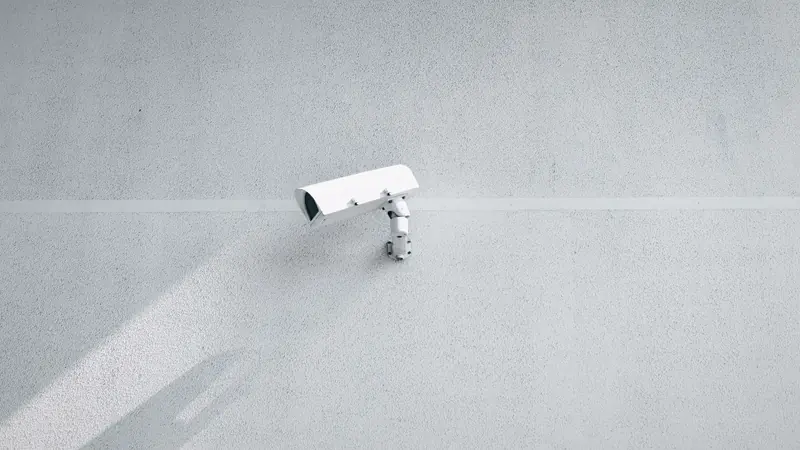
Installing smart Wi-Fi cameras in living rooms, baby nurseries, front porches, and backyard gardens has become one of the most widespread home automation trends of the past decade. Affordable, high-definition IP cameras allow parents to monitor sleeping infants, pet owners to check on dogs during workday hours, and homeowners to protect perimeter property lines. A quick glance at a smartphone application provides instant peace of mind.
Yet behind the reassuring glow of infrared night vision LEDs lies a deeply troubling privacy reality: residential IP cameras represent one of the most frequently compromised internet-of-things (IoT) device categories in modern cybersecurity. Inadequately configured Real-Time Streaming Protocol (RTSP) streams, hardcoded vendor credentials, and unencrypted peer-to-peer cloud relays regularly expose intimate household video feeds to global automated port scanners, voyeuristic aggregators, and malicious cyber adversaries.
The Technical Mechanics of Camera Feed Compromise
To understand how private home video streams end up cataloged on underground forums, one must examine the networking protocols that deliver video frames from camera sensors to playback screens.
1. Insecure RTSP Ports (Port 554) and Router Port Forwarding
Most IP cameras utilize the Real-Time Streaming Protocol (RTSP) over TCP or UDP port 554 to stream H.264 or H.265 video frames.
- The Fatal Port Forwarding Mistake: To view camera feeds outside their home networks, many consumers configure manual port forwarding on their home routers or enable Universal Plug and Play (UPnP), exposing port 554 directly to the wide area network.
- Global Shodan Indexing: Autonomous scanning engines (such as Shodan, Censys, and criminal botnets) scan the entire IPv4 address space continuously. Unauthenticated RTSP streams are cataloged within hours, allowing anyone with a standard VLC media player to stream live living room video simply by entering the household's public IP address.
2. Flawed Vendor Peer-to-Peer (P2P) Cloud Relays
To eliminate complex router configurations for non-technical users, budget camera manufacturers embed proprietary Peer-to-Peer (P2P) networking libraries (such as CS2 Network or TUTK P2P).
- These cameras maintain constant outbound UDP heartbeat connections to centralized overseas relay servers.
- Due to weak cryptographic handshakes and predictable device UID algorithms, attackers can spoof handshake responses, intercept live video feeds, and eavesdrop on bidirectional two-way audio microphones without ever touching the user's home router firewall.
3. Weak Default Authentication and Brute-Force Spraying
Numerous budget camera models ship with identical default administrative credentials (such as admin / 123456 or admin / admin). Automated credential-stuffing bots execute persistent dictionary attacks against camera web management portals, seizing administrative control and weaponizing devices into Mirai botnet zombies.
4. Firmware Backdoors and Unpatched Network Stacks
Consumer camera firmware often incorporates outdated Linux kernel builds and unpatched open-source web server daemons (such as Boa or mini_httpd). Remote attackers exploit pre-authentication buffer overflows to execute arbitrary shell scripts, turning home cameras into permanent surveillance footholds within private residential networks.
Security Posture Comparison: Residential Surveillance Architectures
| Deployment Architecture | Public Internet Exposure | Encryption In Transit | Compromise Risk Level |
|---|---|---|---|
| Port Forwarded RTSP (Port 554) | Direct Open Inbound Port | None (Cleartext RTP/RTSP) | Critical Disaster |
| Budget Vendor Proprietary P2P | Traverses Third-Party Relays | Weak / Proprietary XOR | High Risk |
| Cloud-Tethered Subscription Cam | Vendor Cloud Dependency | Standard TLS Enforced | Moderate (Cloud Breach Risk) |
| Local RTSP via Encrypted Tunnel | Zero Inbound Open Ports | ChaCha20-Poly1305 Tunnel | True Zero Trust |
Practical Hardening Protocol for Home Cameras
To transform vulnerable home video feeds into an airtight private monitoring system, execute these essential steps:
- Close All Inbound Surveillance Ports: Access your home router administration portal and delete any port forwarding rules pointing to ports 554, 80, 8080, or 8443 on your camera's local IP address.
- Disable UPnP on Routers and Devices: Turn off Universal Plug and Play on both your router and camera firmware to prevent silent automated port opening.
- Audit Your Perimeter Exposure: Test your broadband connection with my IP or IP lookup to ensure that no video streaming ports remain publicly accessible.
- Isolate Surveillance Hardware onto an IoT VLAN: Segregate all security cameras onto a dedicated guest Wi-Fi network or isolated VLAN, preventing infected cameras from probing personal computers.
- Mandate Encrypted Virtual Tunnels for Remote Viewing: Never access camera streams over the raw internet. Establish an authenticated cryptographic tunnel into your home perimeter before launching monitoring software.
Total Surveillance Privacy with VPNRice
Securing private residential surveillance requires robust network encryption across all mobile endpoints. VPNRice delivers the ultimate security barrier for privacy-conscious families.
Operating on our state-of-the-art RiceGuard protocol with modern ChaCha20-Poly1305 cryptography, VPNRice ensures that when you connect to your home network or monitor private camera feeds from remote smartphones, every single video packet travels inside an authenticated private tunnel.
Intruders on public Wi-Fi networks and surveillance eavesdroppers cannot intercept your video streams, steal camera authentication cookies, or discover your home IP address. Combined with strict zero-logging and an automated Kill Switch, VPNRice keeps your home truly safe.
Protect your family's private moments and secure your smart cameras today: