Tiếng Việt
 English
 中文
中文 Español
 हिन्दी
 Français
 Português
 Русский
 Deutsch
 日本語
日本語 한국어
한국어 Italiano
 Bahasa Indonesia
 ไทย
ไทย বাংলা
বাংলা ລາວ
ລາວ မြန်မာ
 العربية
 فارسی
فارسی اردو
اردو Українська
 Română
 Azərbaycan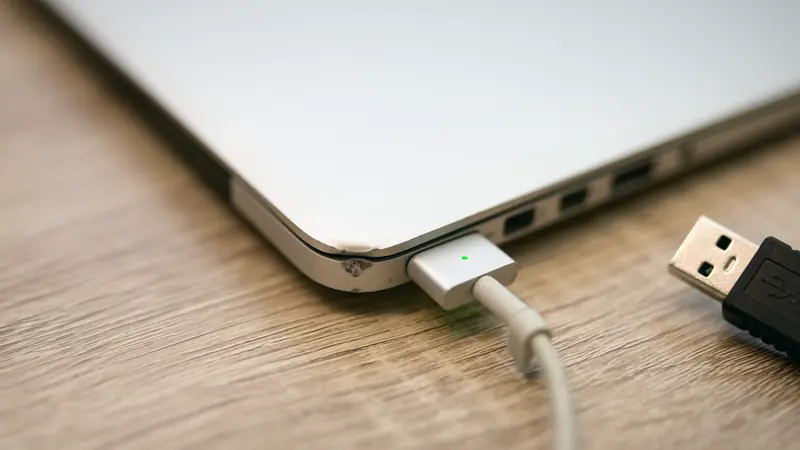
You step off a grueling transatlantic flight with your smartphone battery hovering precariously at 2%. Your connection departs in forty minutes, your digital boarding pass is on your phone, and the terminal gate has no empty AC wall outlets. Spotting a sleek municipal charging kiosk offering an array of public USB-A ports, a surge of relief washes over you. You pull out your charging cable, plug into the wall socket, and watch the charging animation illuminate. Suddenly, a micro-dialogue flashes on your display: "Trust This Computer?" Fatigued and desperate for battery replenishment, your thumb reflexively taps "Trust."
In that split second, your personal device falls prey to "Juice Jacking"—a physical-layer hardware exploitation technique that weaponizes public USB power kiosks into automated data-extraction engines.
Concealed behind the polished brushed-aluminum facade of an ostensibly benevolent airport charging station is rarely a simple passive AC-to-DC transformer. Instead, adversaries frequently embed miniaturized single-board computers (such as a Raspberry Pi or custom microcontroller) engineered to establish high-speed serial links the instant physical pin contact occurs.
Technical Mechanics: How USB Hardware Transmits Power and Siphons Data
To grasp the danger of unauthenticated USB kiosks, one must examine the physical wiring pinout of standard Universal Serial Bus architecture.
+-------------------------------------------------------------+
|                STANDARD USB-A PHYSICAL ARCHITECTURE         |
|                                                             |
|  [ Pin 1: VBUS (+5V Direct Current) ] ----> POWER DELIVERY |
|  [ Pin 2: Data Negative (D-)        ] ----> SERIAL DATA     |
|  [ Pin 3: Data Positive (D+)        ] ----> SERIAL DATA     |
|  [ Pin 4: Ground (GND Shield)       ] ----> POWER RETURN   |
|                                                             |
| * Weaponized Kiosks Exploit Pins 2 & 3 for BadUSB Attacks   |
+-------------------------------------------------------------+
1. Dual-Purpose Architecture: Power versus Data Lines
A legacy USB-A interface features four physical copper pins (modern USB-C cables contain up to twenty-four pins). Pin 1 (VBUS) and Pin 4 (Ground) are strictly dedicated to providing 5-volt electrical current for battery charging. However, the center conductors—Pin 2 (Data Minus) and Pin 3 (Data Plus)—are dedicated differential pairs designed to transmit high-speed packetized serial data between hosts and peripherals. In a dedicated wall charger, these data pins are physically severed or shorted. In a compromised kiosk, they wire straight into an adversary's logic controller.
2. BadUSB and Synthetic HID Keystroke Injection
Once physical pin negotiation completes, a hostile kiosk can enumerate itself not as a passive power supply, but as an authorized Human Interface Device (HID)—essentially an ultra-fast synthetic keyboard. Operating at thousands of simulated keystrokes per minute, the controller can spawn terminal prompts, execute base64 payload strings, extract stored browser credentials, or deploy persistent background spyware before the screen timeout engages.
3. Exploitation of Media Transfer Protocols (MTP)
When connected without strict host validation, mobile operating systems frequently expose media directories via Media Transfer Protocol (MTP) or trigger developer debugging interfaces (ADB). This allows compromised charging stations to scrape unencrypted local photo libraries, SMS caches, and enterprise PDF documents in seconds.
Tactical Defense: Ironclad Mobile Charging Hygiene
Preserving hardware integrity during transit requires enforcing disciplined physical separation:
- Deploy Dedicated AC Wall Adapters: Never insert a raw USB cable directly into public USB sockets. Carry your proprietary manufacturer AC adapter and locate standard mains wall outlets. Mains sockets transmit alternating electrical current with zero capacity for packet inspection.
- Utilize a Battery Power Bank as a Buffer: Establish an air gap by using a portable battery pack. Plug the airport USB port into your power bank, and subsequently charge your handset from the battery pack, preventing direct electrical logic interaction.
- Equip Hardware USB Data Blockers: Carry a hardware adapter commonly referred to as a "USB Data Blocker." This physical dongle physically removes Pin 2 and Pin 3 copper traces while passing only Pin 1 and Pin 4. Power flows freely, but data transmission is rendered physically impossible at the hardware layer.
- Enforce Strict Host Rejection: If a "Trust This Computer" prompt ever surfaces while tethered to an external socket, immediately disconnect the cable and dismiss the prompt.
Comprehensive Mobile Communications Security with VPNRice
While hardware data blockers secure your physical ports, VPNRice delivers an indispensable layer of defense across transit Wi-Fi networks and public hotspots.
Powered by the resilient RiceGuard protocol, VPNRice encapsulates all outbound wireless telemetry within high-performance ChaCha20-Poly1305 encryption. Whether utilizing airport terminal wireless connections or cellular data roaming, your financial sessions and personal conversations remain shielded against localized network snooping and rogue gateway inspection.
Complementing this with automated DNS leak mitigation and a certified zero-logs policy, VPNRice guarantees your network privacy remains inviolate. Verify your network posture using what is my ip and review routing endpoints via ip lookup. Perform a routine webrtc leak test to confirm complete connection isolation.
Safeguard your mobile lifestyle against hardware and network intrusions: